The Lio Method
Layout
Layout variables exist to preserve consistency, not to constrain exploration. Start simple, save what matters, and scale only when patterns are proven.
While color and typography can be systematized around clear intent, layout in web design is far more context-dependent.
For this reason, the Lio Method approaches layout systematization even in a more lightweight and pragmatic way, focusing only on what truly benefits from consistency.
Rather than defining rigid layout rules, Lio provides a token-based foundation to store and reuse decisions related to:
Grid structure
Section spacing
Element shape (radius, borders, etc.)
Layout variable collection
All layout-related decisions live in the layout variable collection in Figma.
When setting up a project, Lio Toolbox automatically generates a placeholder structure within this collection, providing a starting point that can be adapted to the needs of the project.
Thanks to Figma’s variable capabilities (and as seen with typography) these tokens can be easily mapped to responsive breakpoints such as tablet and mobile.
siteGrid
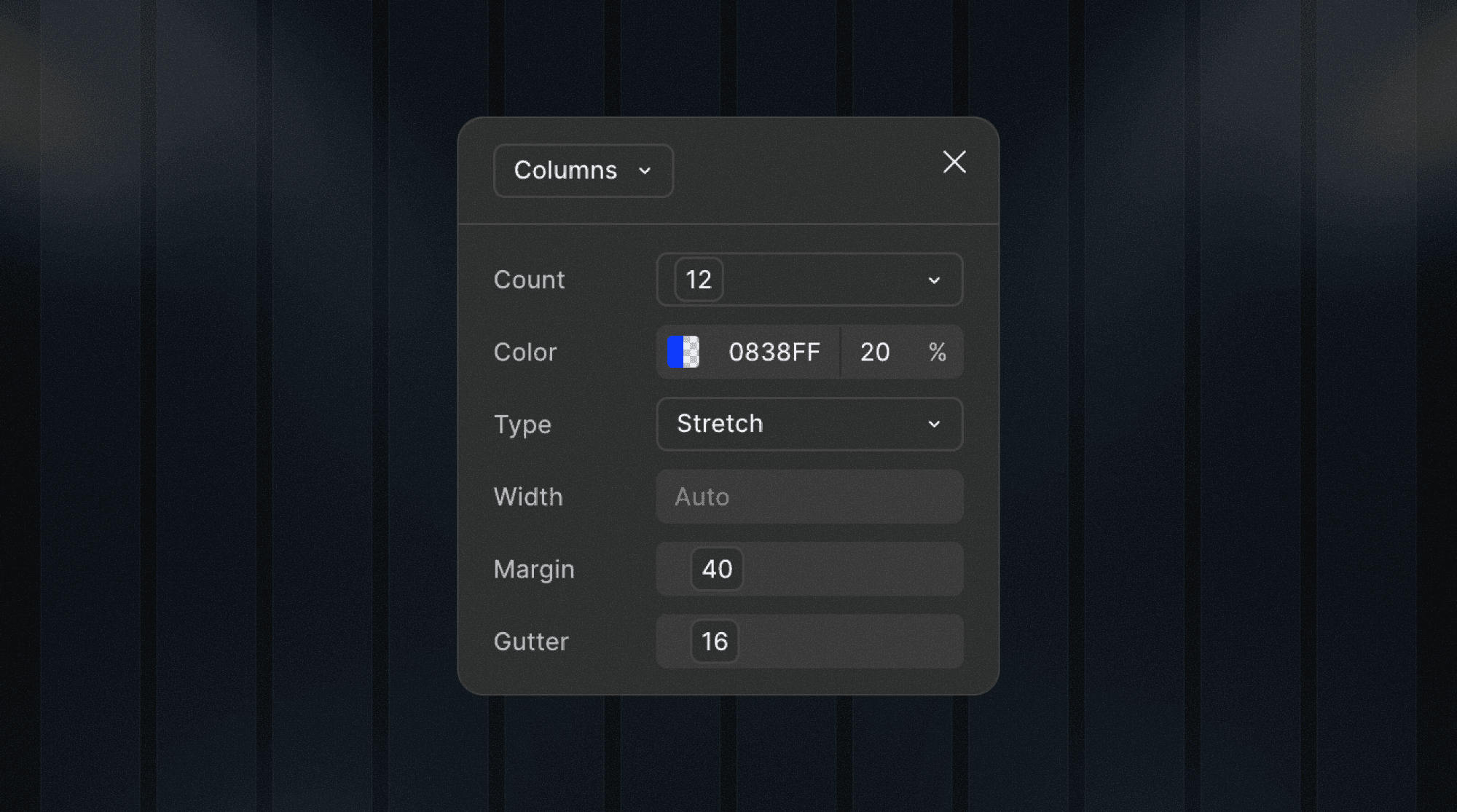
When initializing a project, Lio Toolbox also generates a grid style backed by variables for:
widthmarginguttercolumnCount
By default, the grid uses a standard 12-column layout, which can be freely customized by adjusting the underlying variables.
Shape variables
Shape-related decisions are stored under the same layout collection to keep the system simple.
If a project grows in complexity, these tokens can later be moved into a dedicated collection. By default, however, The Lio Method prioritizes simplicity over early separation.
Shape tokens include:
Border width:
S,M,L,XLCorner radius:
S,M,L,XL,100vw(fully rounded)
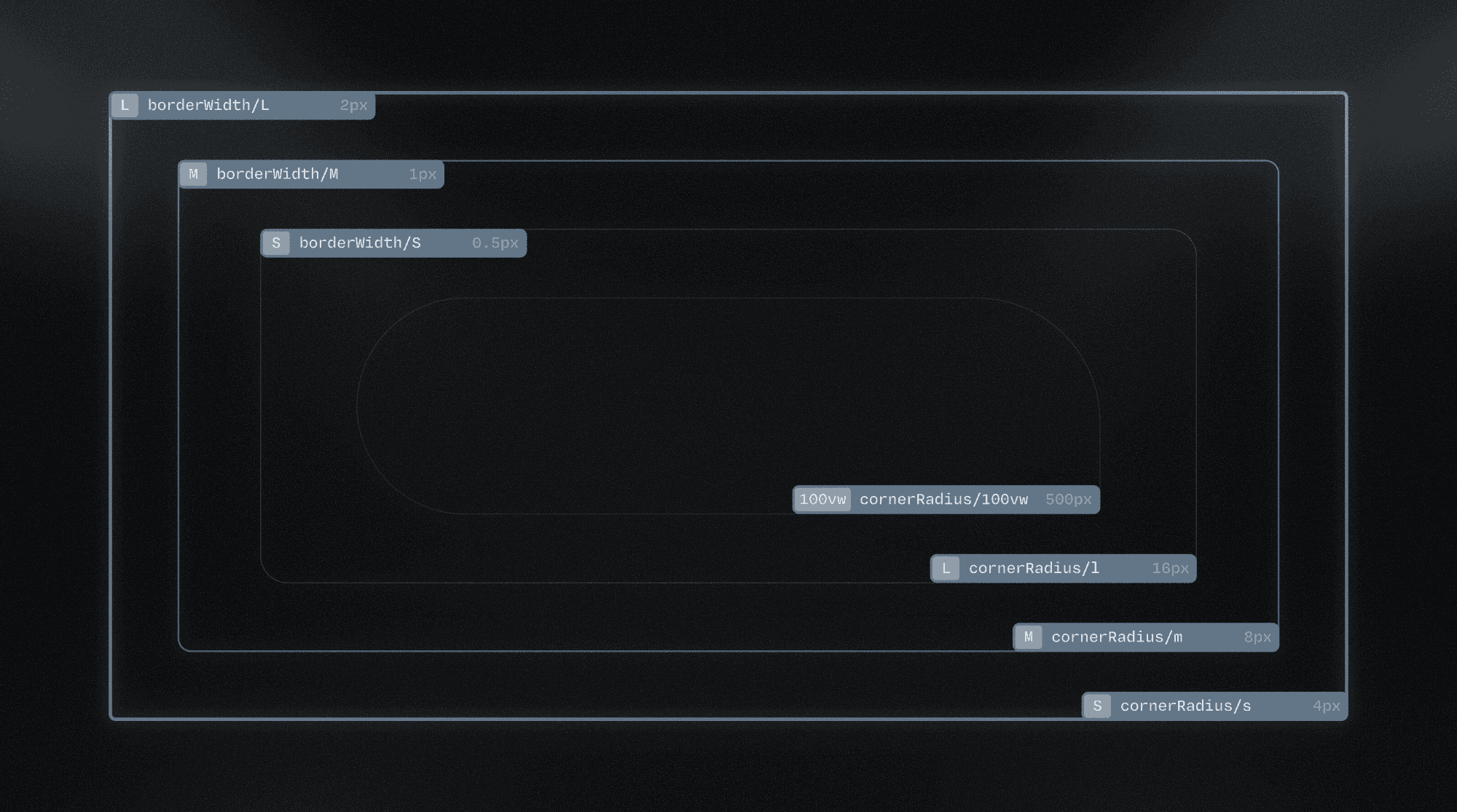
These variables serve as a basic foundation for consistency, not as an exhaustive shape system.
Spacing variables
Spacing is one of the most critical and most abused aspects of web design.
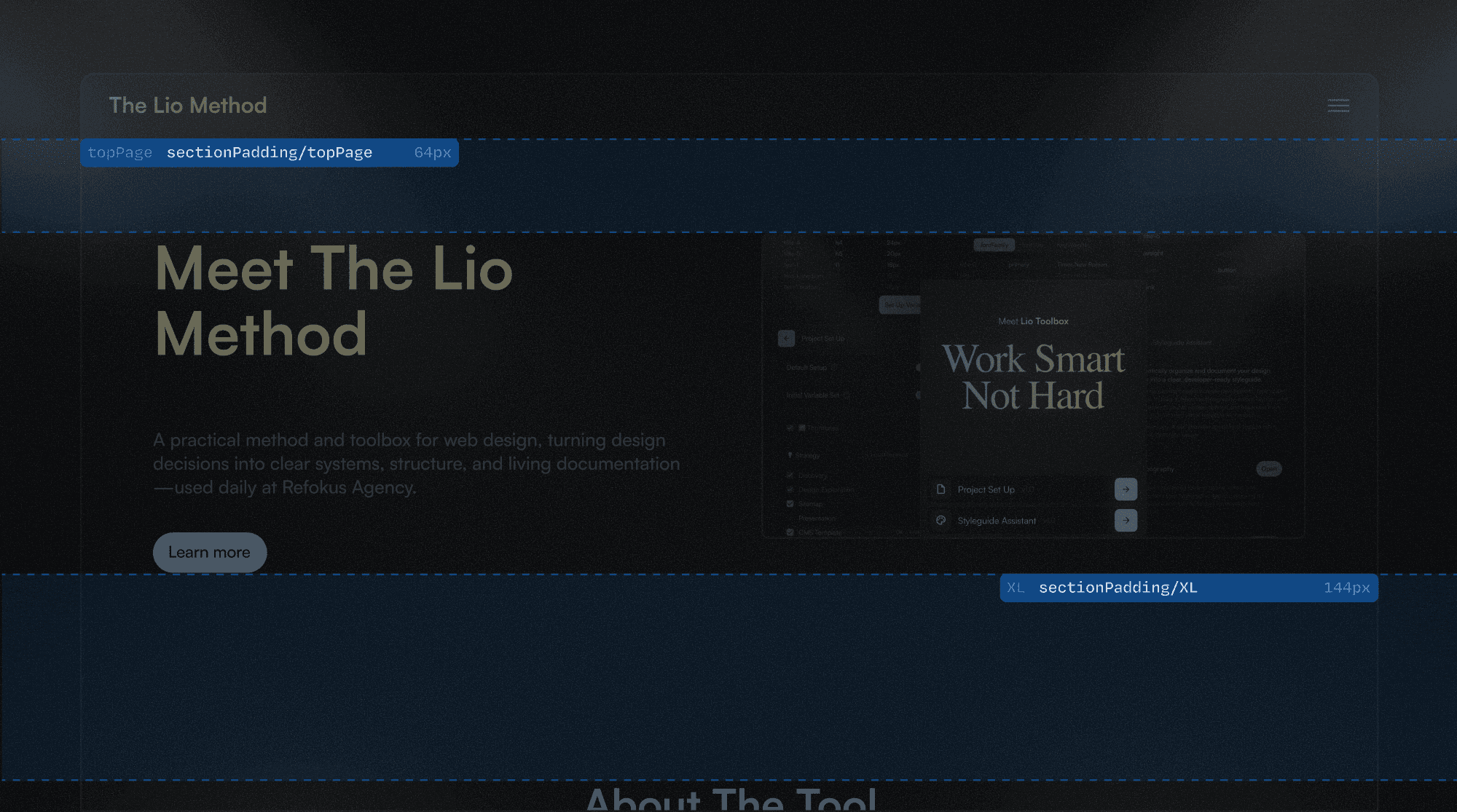
Lio intentionally starts with a minimal spacing scale, focused on section-level separation.
By default, spacing tokens follow a simple size-based nomenclature: S, M, L, XL.
Additionally, a dedicated topPage token is included to handle a very common web use case: vertical offset from the top of the page. This token can be extended using the same modifiers, for example: topPage-L or topPage-XL.
Scalability
As layout complexity increases, spacing tokens can be expanded to include intermediate values:
XXS,XS,S,M,L,XL,XXL
This expansion should happen only when patterns repeat and prove useful.
Grids and spacing
Lio does not treat grids as fixed system entities. Grid decisions vary widely between designers and projects, and enforcing a rigid grid system often creates more friction than value.
For this reason, Lio Toolbox does not generate a legacy spacing scale based on fixed pixel values.
Spacing in The Lio Method follows a rule-of-4 logic, but values are stored as decisions, not as abstract scales to be wired later.
The spirit of Lio is to save real decisions and apply them consistently. The system grows when the project demands it, not before.
Adding semantic spacing tokens
When spacing decisions repeat across the project, semantic tokens can be introduced to capture intent:
topPagectaWrappercarouselGap
These can also be combined with size modifiers when needed:
ctaWrapper-xlcarouselGap-S

Semantic tokens should represent clear, recurring layout decisions, not one-off exceptions.
Any other questions? Get in touch.