Support
Lio Toolbox plugin
Built to support the method, Lio Toolbox automates setup, generates documentation, and keeps everything organized so you can focus on designing and not maintaining systems.
What Lio Toolbox Does
It prepares your project structure, organizes your variables, and helps you document your decisions with clarity. But it’s important to understand what it isn’t.
Lio Toolbox won’t design anything for you, and that’s intentional.
It doesn’t pick colors, define compositions, or decide how your typography should look.
Its role is different: it takes your decisions and turns them into structure, reducing repetitive work, documenting your logic, and helping your file stay organized as your design evolves.
Think of it as a companion that handles the mechanical side of the process, so you can stay focused on the creative and strategic one.
It doesn’t replace your exploration, your thinking, or your craft. It simply gives those things a more solid foundation to stand on.
Why using it?
In design, repetitive tasks slow down meaningful work. Setting up variables, creating styles, structuring pages, organizing the file… these steps matter, but they often consume time you could be using to explore, decide, and iterate.
Lio Toolbox exists to solve exactly that.
It automates the structural, the mechanical, and the easy-to-forget parts, so your attention can stay where it truly matters: the visual direction, the reasoning, the story you’re shaping.
It’s a tool built to make your work faster, more consistent, and above all, more thoughtful.
How it works
Lio Toolbox runs through simple flows. Each flow performs one clear action and there’s no complicated setup behind it.
You open the plugin, choose the tool, and Lio does the rest.
At its core, it works around three pillars:
Variables (color, typography, layout)
File structure (pages, groups, organization)
Auto-generated styleguides (auto-generated brand books coming soon!)
The idea is always the same: less chaos, more method.
Project Setup
Designed to run it the moment you create a new Figma file. It allows you to set up your file with a ready-made structure that ensures consistency across projects.
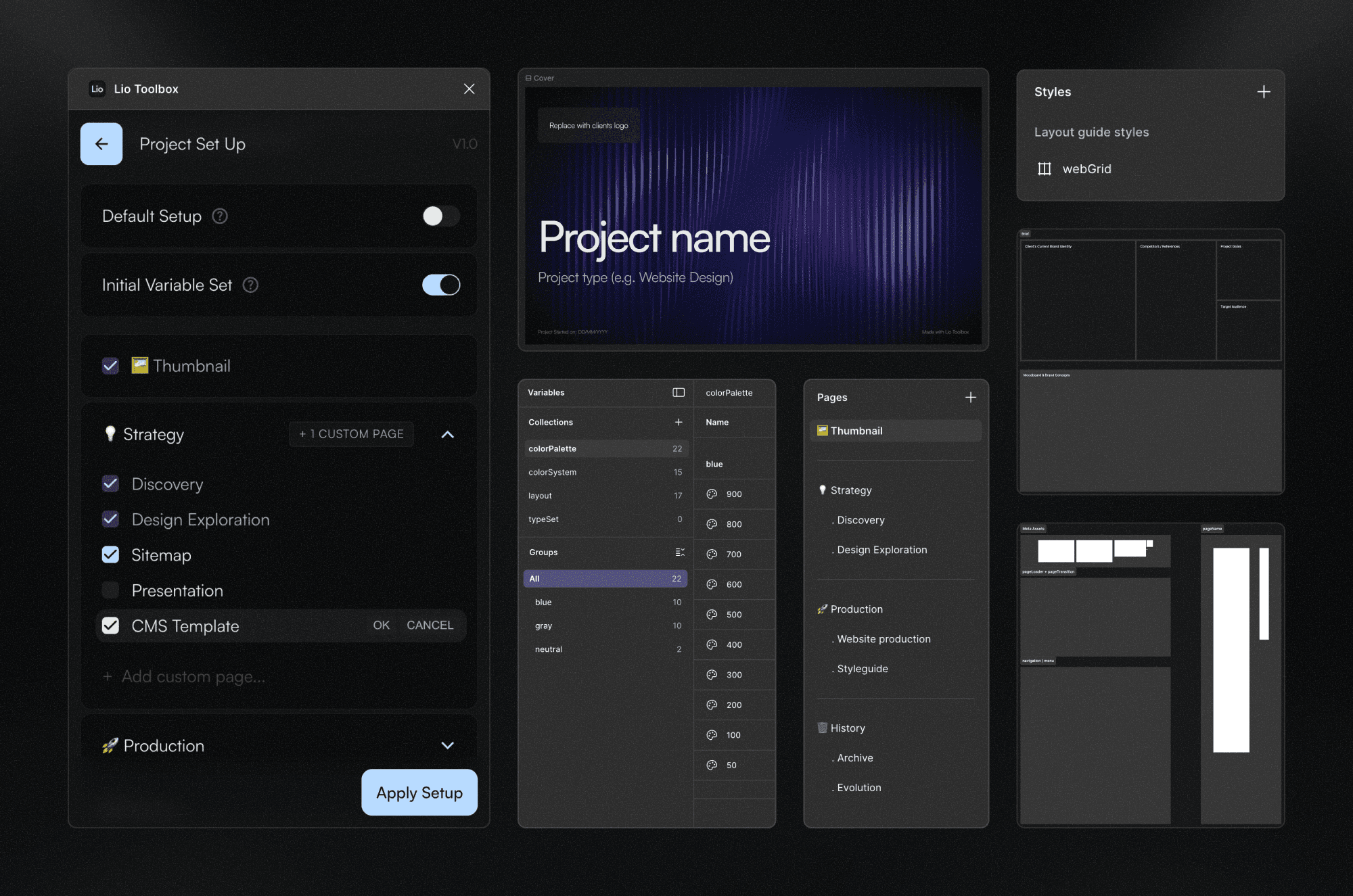
Includes pre-built pages (Thumbnail, Discovery, Production).
Lets you add optional and custom pages to shape the project around your workflow.
Creates a default set of variables collections for color and layout, including a pre-built grid style.
Keeps projects consistent and saves valuable time by removing repetitive preparation.
Styleguide Assistant
A guided helper that turns your design decisions into clear, structured documentation. It includes dedicated modules for typography, color, and layout, each adapted to its specific needs and featuring a header that records when the documentation was generated and by whom.
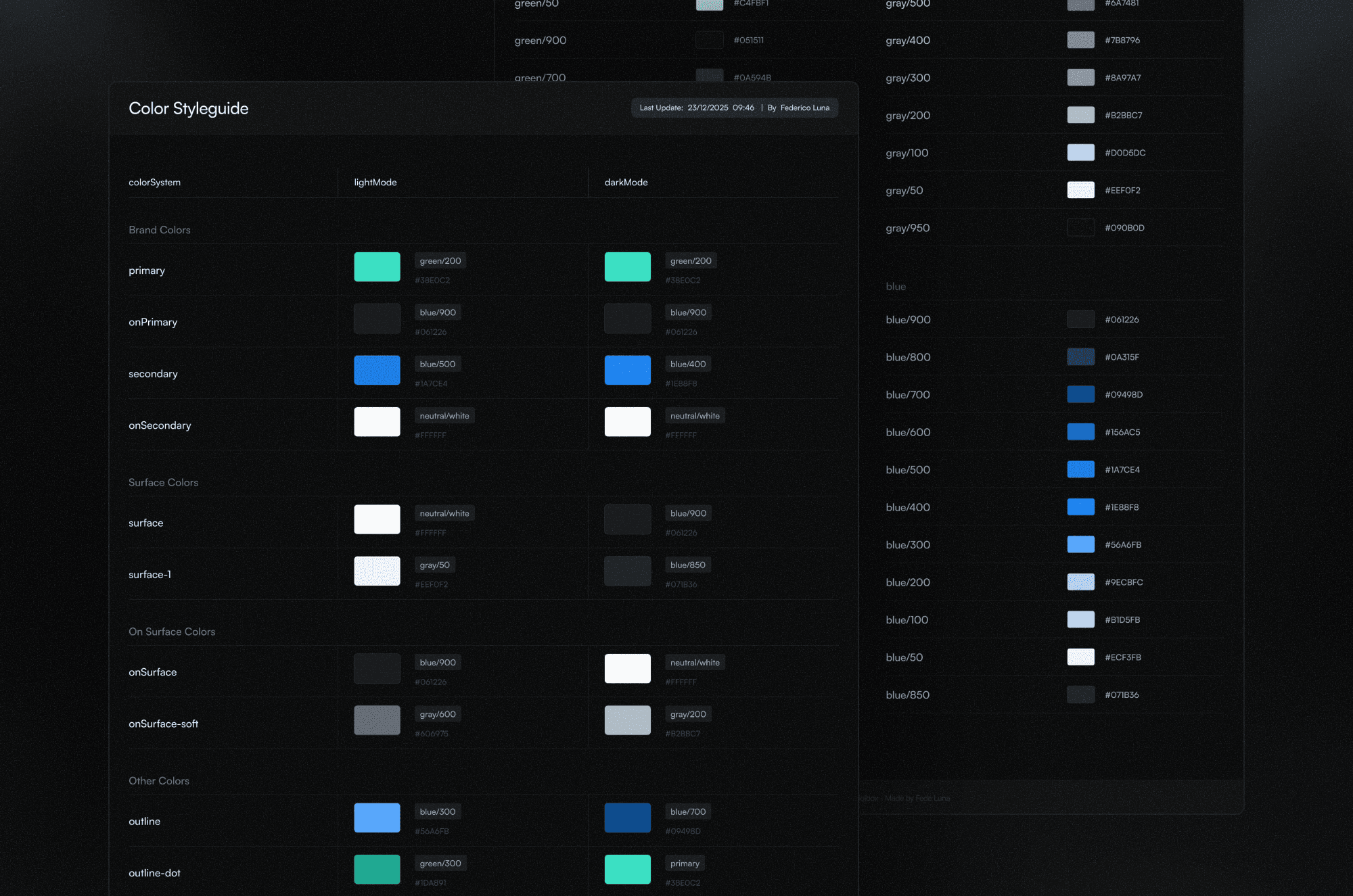
Color styleguide:
Generates a visual guide based on your variables from the colorPalette and colorSystem collections.
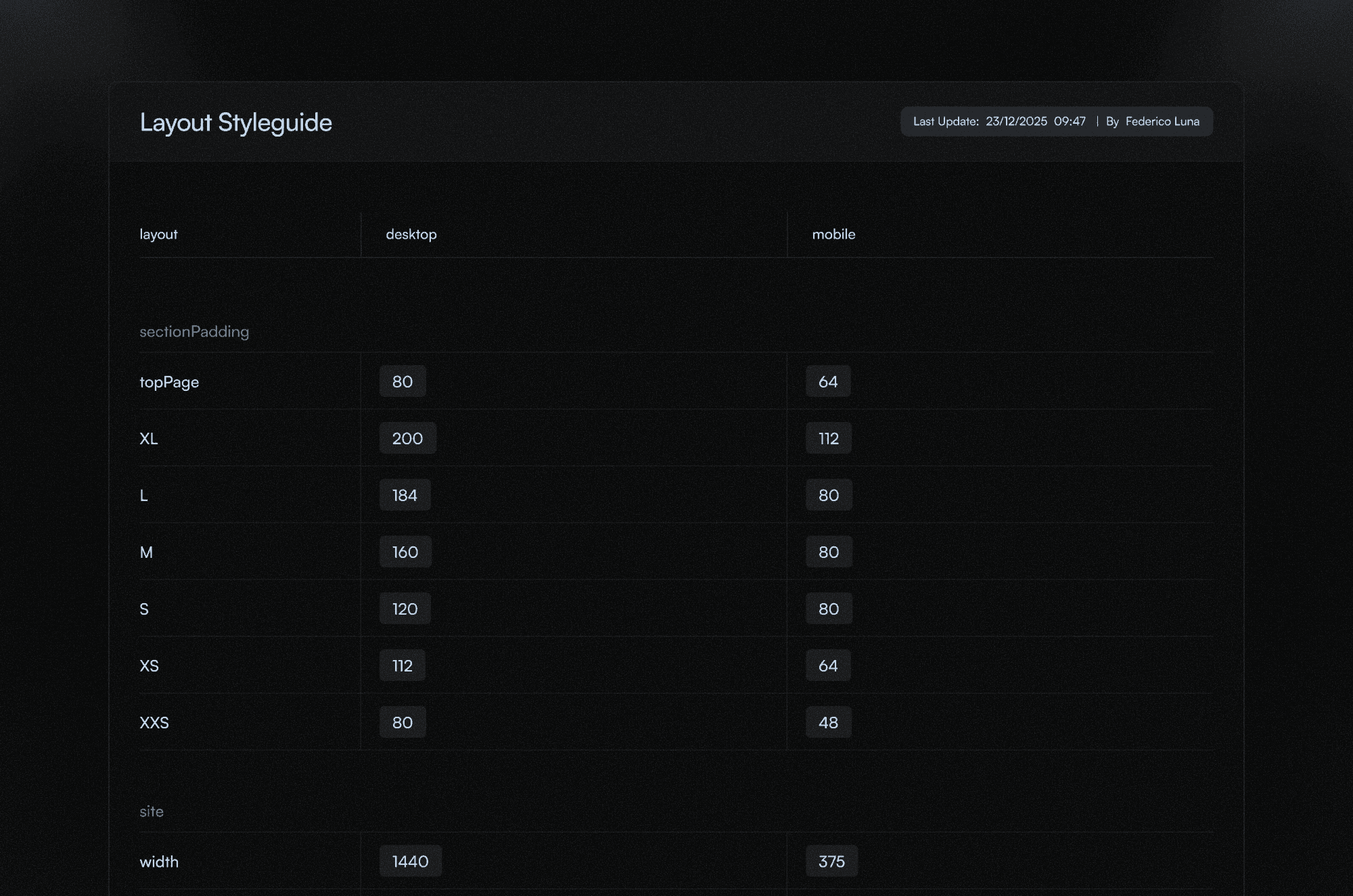
Layout styleguide:
Generates a visual guide based on your grids, spacing, breakpoints, and composition patterns.
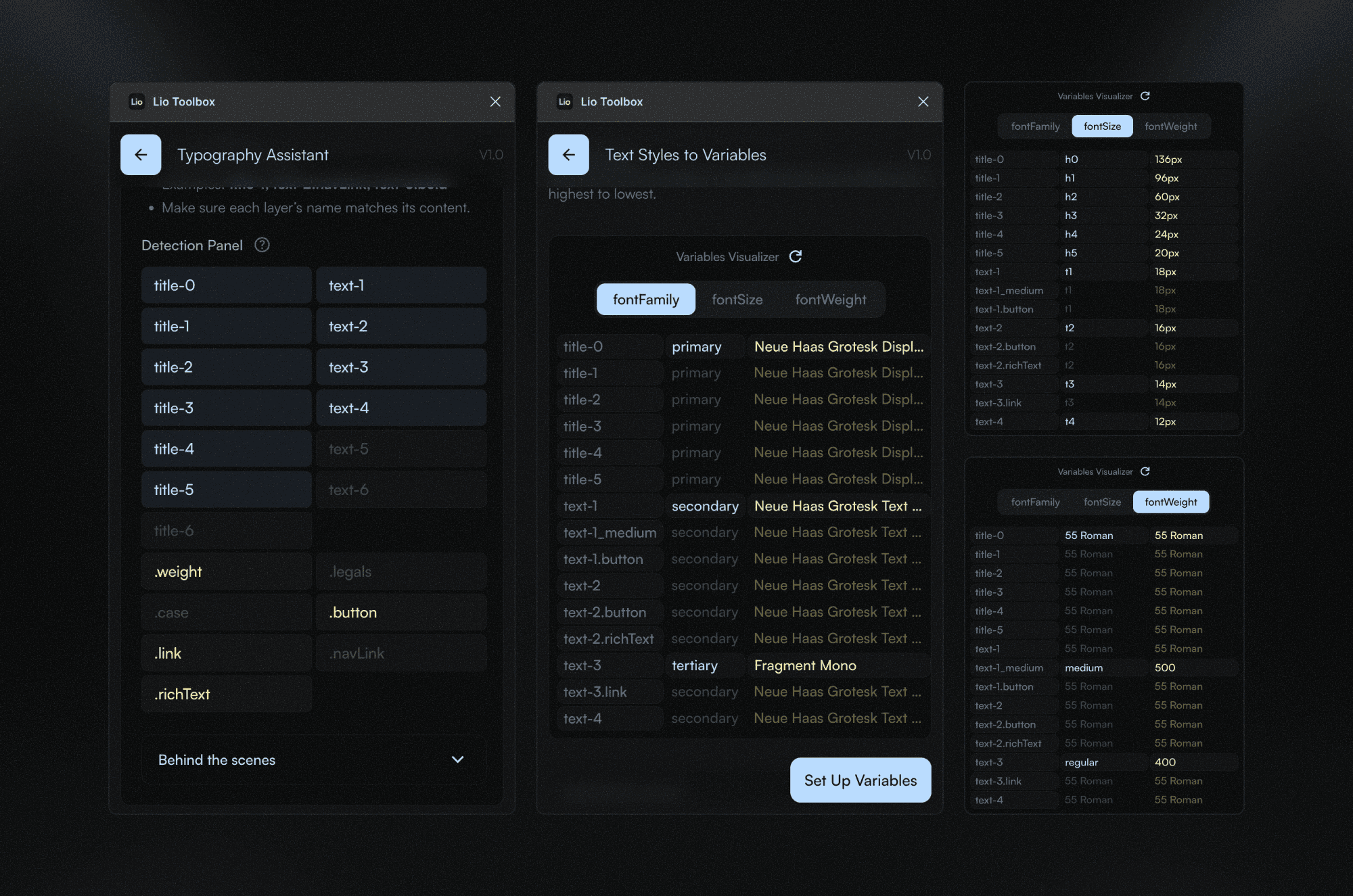
Typography:
Assisting tools:
Typescale checker: Audit your current typescale and highlights inconsistencies or unnatural steps.
Text styles generator: Creates a coherent set of text styles based on your audited scale.
Text styles to variables: Converts those text styles into variable-driven tokens for long-term consistency.
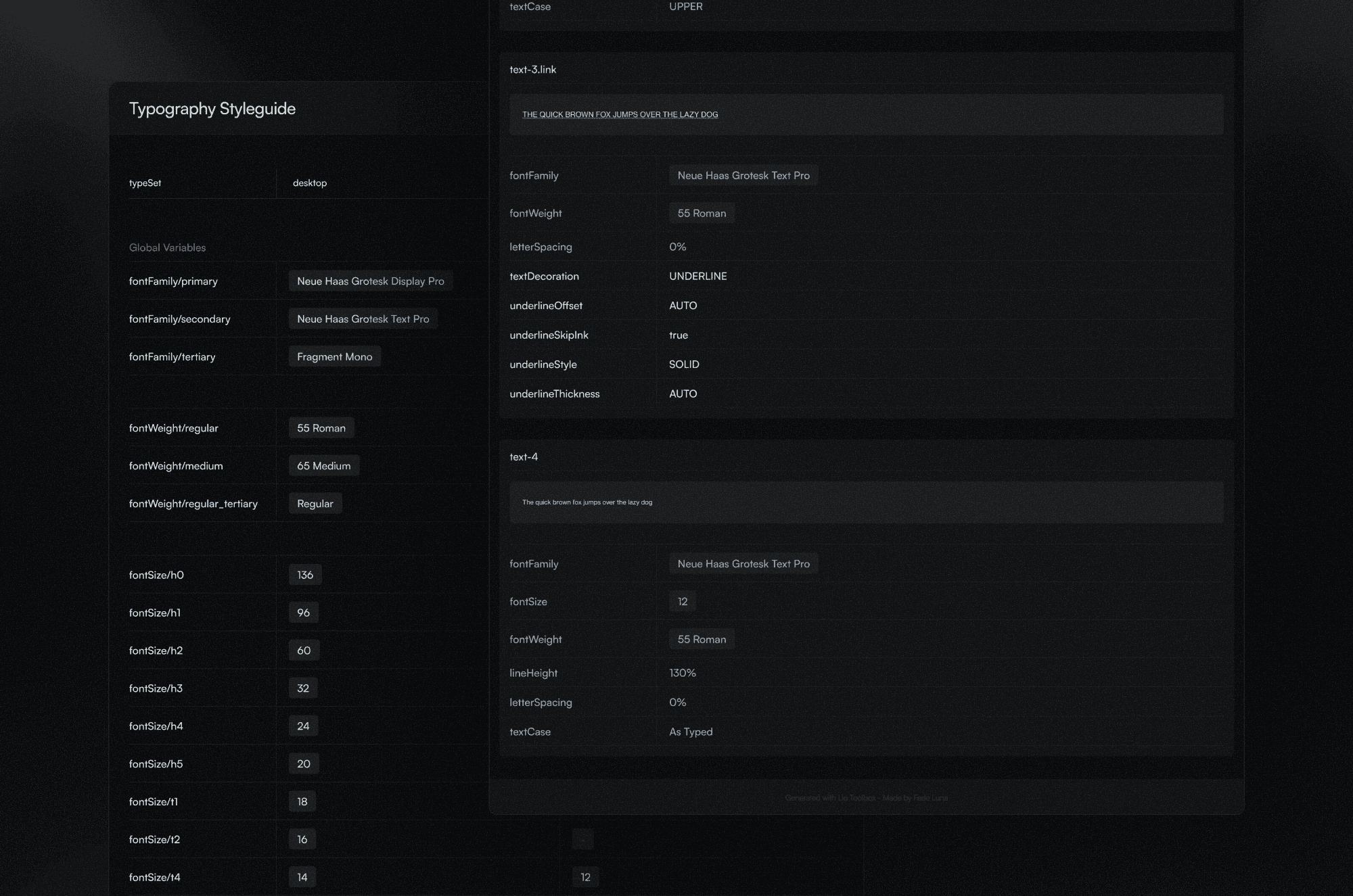
Typography styleguide
Produces a clean visual guide documenting your full scale and typographic rules.
Other automations
Prototype flow points:
This automation streamlines the creation of flow points, allowing you to generate a clean, functional prototype link that clients can use to review designs in a real environment.
Any other questions? Get in touch.